Generate an apicp from an OpenAPI spec
apicp narrows an OpenAPI spec down to the handful of operations a plan actually needs, exposing them as a focused MCP server: curated functions, LLM-facing inputs, and cleaned-up responses.
This guide maps one endpoint from a REST API's OpenAPI spec into an apicp.yaml mapping, then wires the result into a plan as require apicp <name>.
Prerequisites
- An OpenAPI spec for the API you want to expose
- A tools profile in the UI (Integrations → Tools) to add the APICP to — see Creating an APICP in the UI below if you don't have one yet.
- Comfortable calling a tool from a plan — see Connect Frags to your data
Anatomy of an apicp.yaml
An apicp mapping is declarative YAML with a small set of primitives:
| Primitive | Purpose |
|---|---|
mappers | One entry per MCP tool the apicp exposes. Each mapper has a name, a description, values, an inputSchema, and an optional outputTransformer. |
values | Fixed or templated request fields |
inputSchema | The fields the model does see, each mapped to a request location |
outputTransformer | A JMESPath expression that trims the raw response down to what the workflow needs before it reaches the model. |
Creating an APICP in the UI
Under the Integrations section select Tools, from there select Create tools profile or select edit on a preexisting one.
-
Name the tools profile if not done so already. Give it a top level overview that you will recognize across all the MCP Servers and APICPs that are a part of it
-
To add an APICP, select Add APICP in the APICP section
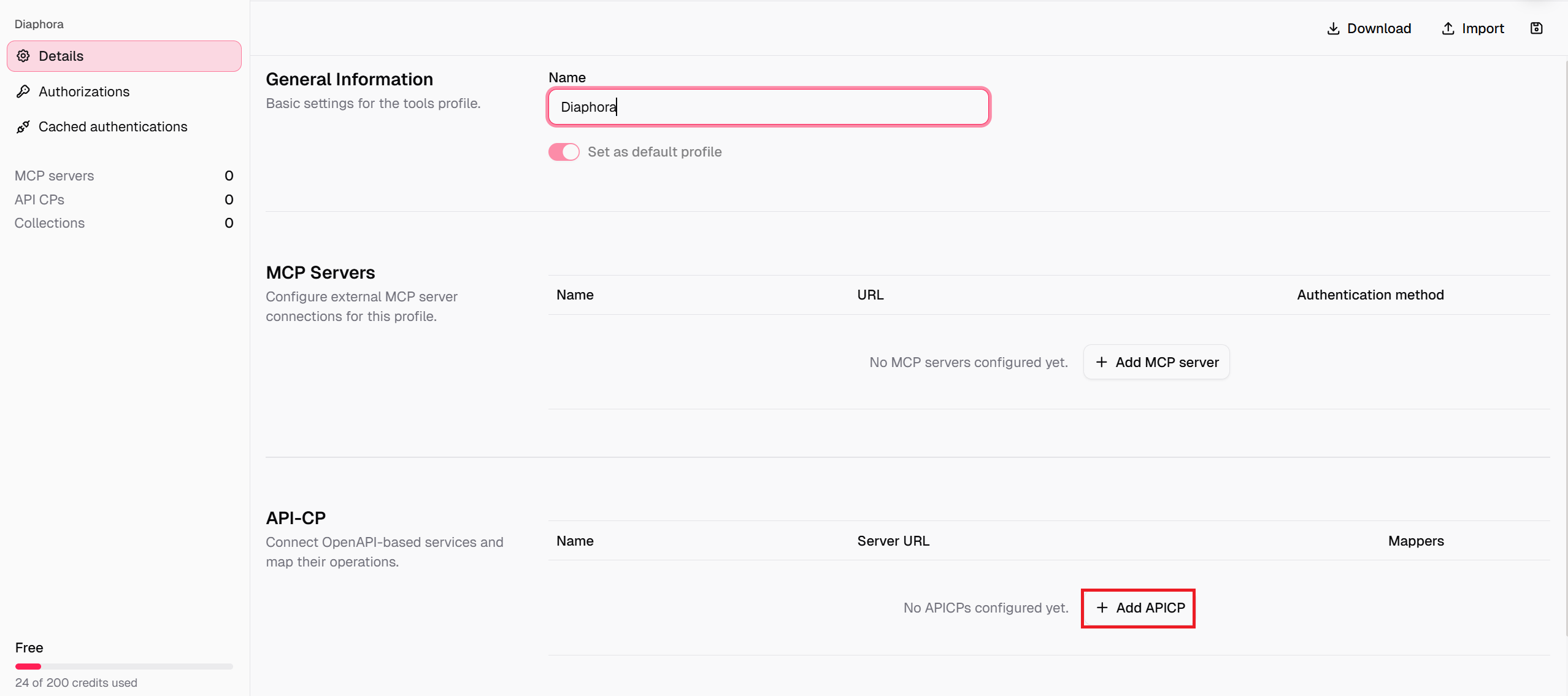
- From there you'll be brought to a page where you can add and adjust your OpenAPI spec to fit with how you want your APICP to act
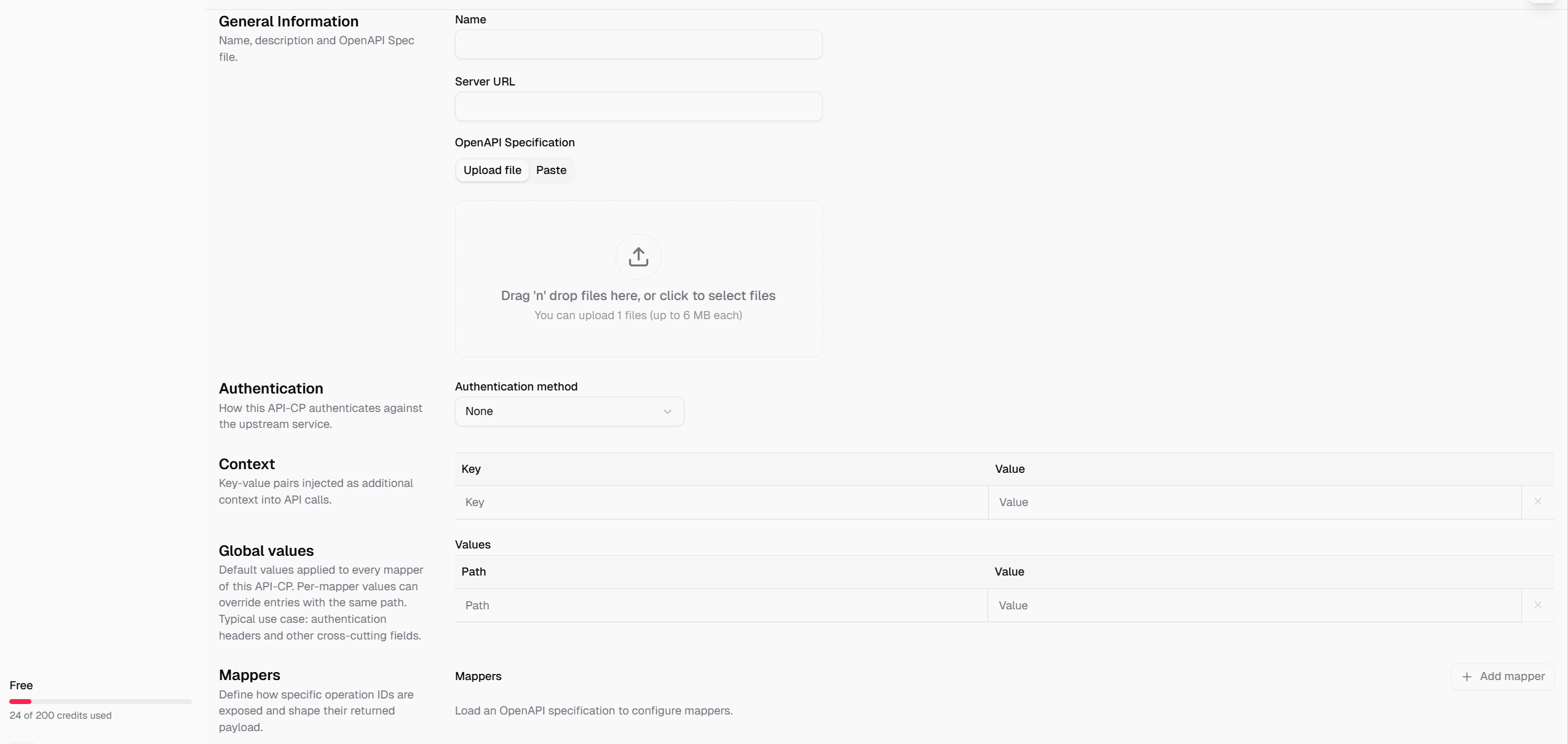
-
Fill in the Name and Server URL, then upload (or paste) the OpenAPI Specification file. Set the Authentication method the APICP should use against the upstream service, add any Context key-value pairs the mapping needs, and set Global values that should apply to every mapper. Once a spec is loaded, select Add mapper to expose the operations you want as MCP tools.
-
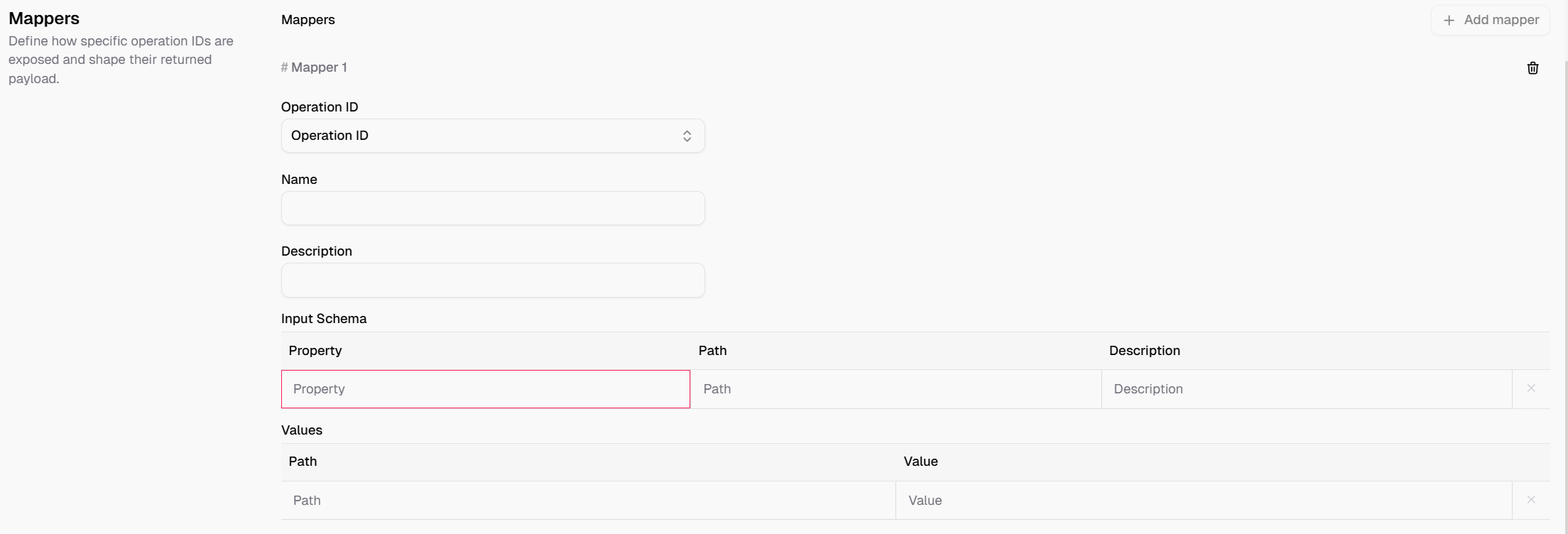
For each mapper, pick the OpenAPI operation it wraps, then set its
name(the identifier a plan will call, e.g.searchCustomers),description,inputSchema(the fields the model must supply, likeemailandlimit),values(any fixed or templated fields), and an optionaloutputTransformerto trim the response, see Anatomy of an apicp.yaml above for what each field controls.
Use it in a plan
Declare it like any other tool, then call the mapper function it exposes by name, here as a deterministic PreCall:
apicp is the layer that renames and reshapes the endpoint for the model. Everything from here on is the same as calling any other tool; see Connect Frags to your data for PreCalls vs. use, transformers, and routing results into vars or context.
Next steps
- Connect Frags to your data — PreCalls, transformers, and routing tool output into a session.
- PreCalls deep-dive — more on calling tool functions deterministically before prompts run.
Map an OpenAPI operation into an apicp.yaml mapping and expose it as a focused MCP server a plan can call with require apicp.